Planning
Relationships
Connect two requirements with a sequence, a transition, or an interrupt. The graph refuses a link the model does not allow.
A relationship is a planned connection between two requirements. You draw it on the graph. The rules are checked as you connect, so a link the model does not allow is refused instead of saved and found later.
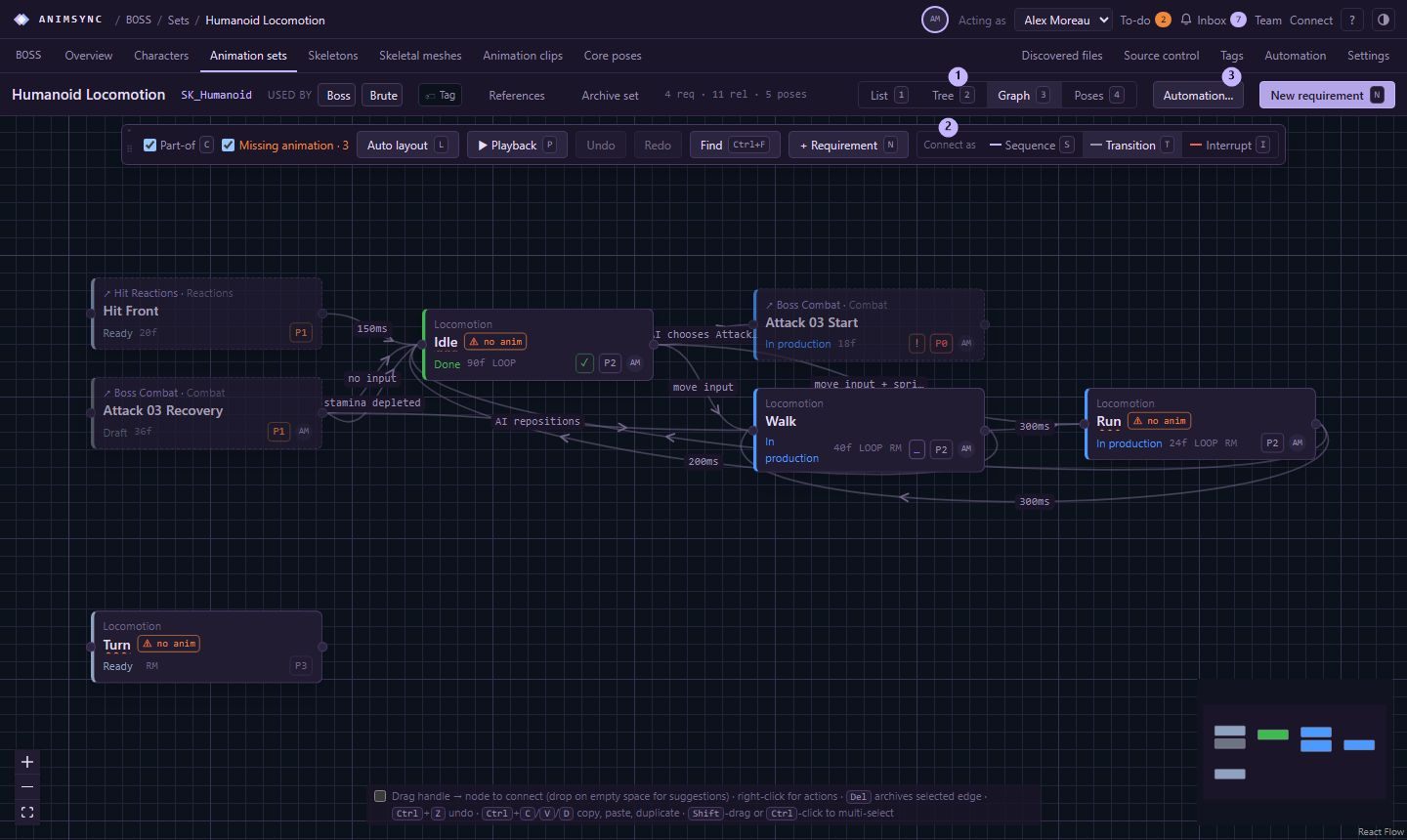
Three kinds
Select the link to edit it. The inspector names the two requirements and explains the kind:
- Sequence. Always continues into the target when the source ends. It must not form a loop.
- Transition. May exit into the target at the end, or in the exit window, of the source, when the condition holds.
- Interrupt. The target may cut the source before it finishes.
The inspector has a priority (higher wins), a blend in milliseconds, a condition, and notes. The condition is text that distinguishes several links between the same pair. A sequence still always continues when the source ends.
A link that leaves its set shows that it crosses sets. A transition to or from a collection applies to every member of that collection.
Remove one
Delete, or the archive action, takes the selected link off the graph. Ctrl+Z puts it back during this visit. Archiving a requirement archives its links too, and restoring that requirement brings them back.
Copy, paste and duplicate lay out a family of moves. A pasted link that the rules refuse is skipped. The requirements are still pasted.