Review
3D preview
GLB, glTF and FBX open in the browser. The preview shows the clip, the skeleton and root motion, and the 3D review sketches in that scene.
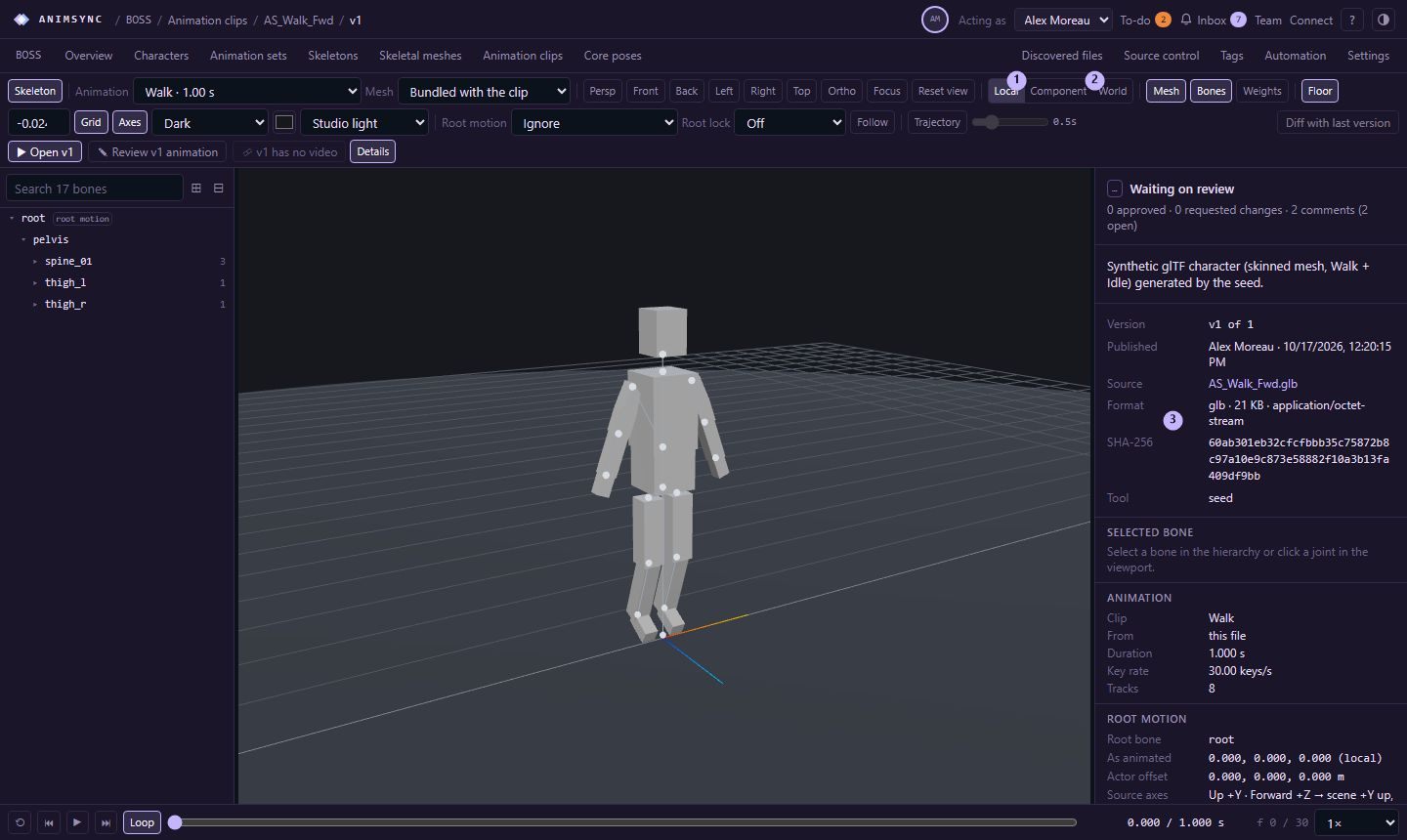
A version whose preview file is GLB, glTF or FBX opens in the 3D preview. Other formats stay as stored files. The preview reads glTF 2.0 and FBX 7.x. The page says so when a version is not one of those.
Opening such a version goes to the preview. From there, or from the version's actions:
- Open vN is the preview.
- Review vN animation is the 3D review of an animation clip. The page starts that review. The notice says it reviews the clip itself and does not need a video. A file with several clips has a review per clip.
- Review vN video is the video review, when an MP4 or WebM belongs to that version.
What the preview shows
The clip plays on a mesh. A clip without a mesh of its own can use a skeletal mesh linked through its skeleton. The skeleton can be inspected, including skin weights.
Root motion is how the preview applies the root:
- Ignore. The actor stays at the origin and the root bone moves as animated.
- Apply (loop). The root is locked and its motion moves the actor, including across loops.
- Apply (loop & reset). The same, and the actor returns to the origin each loop.
Root lock holds the root bone at its reference pose, at the first frame, or at zero. Off leaves the animated transform, and it is available while root motion is Ignore.
Motion metadata
From a preview AnimSync can read, the version also has motion metadata: distance, speed, acceleration and rotation over the clip. Changing the measurement axes re-projects those numbers. It does not change the source file or the stored analysis.
Sketches
Drawings in the 3D review are strokes in the scene, kept with that review the same way a drawing on the video is. Video review and 3D review are two reviews of one version, and each keeps its own notes. See Comments and drawings.