Review
Opening a review
Review a requirement before a file exists, or review one published version as video or as the 3D clip.
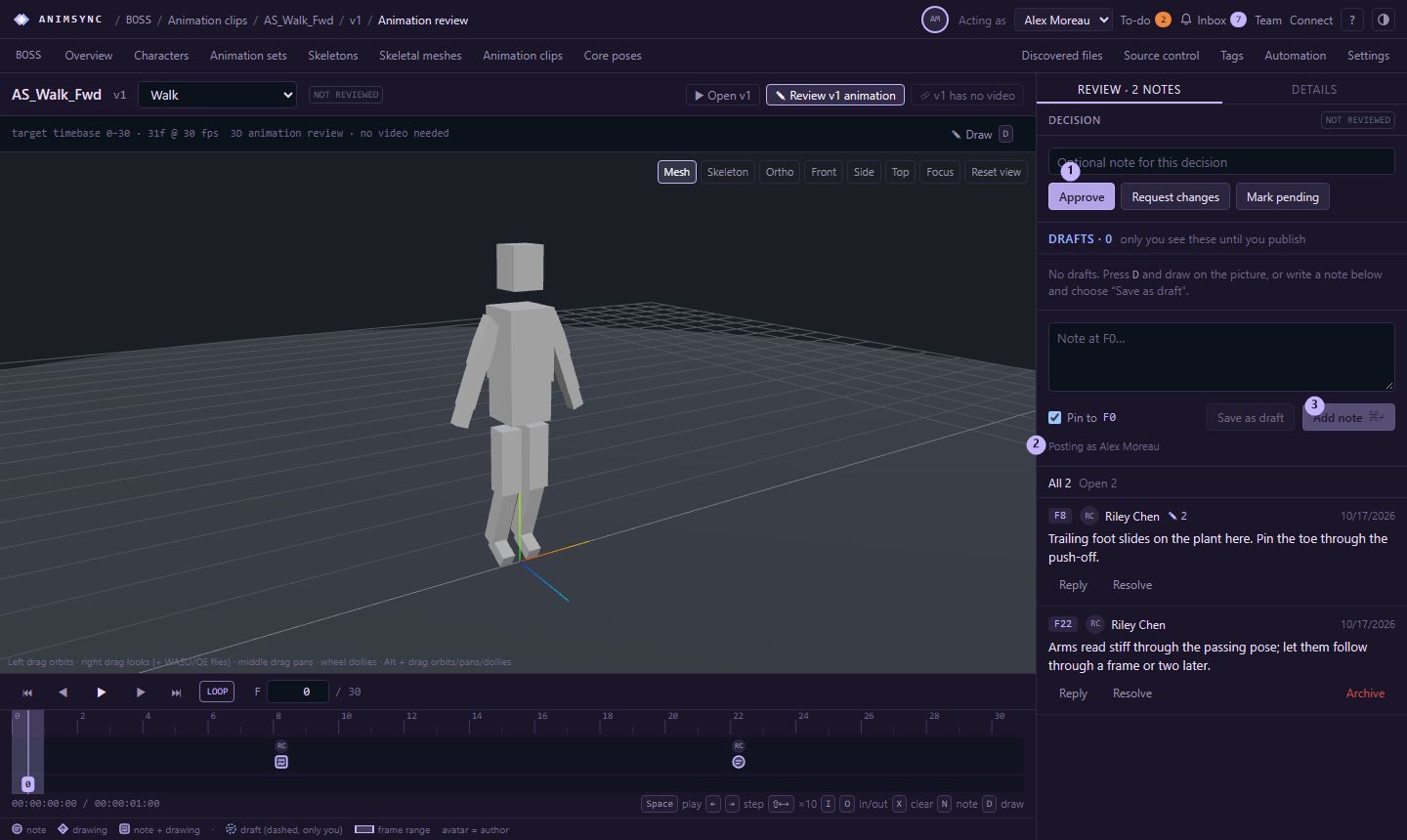
A review belongs to one target, and that target does not change afterwards. Notes, drawings and verdicts stay on the target you opened. A newer version, or a newer snapshot of the spec, is a new review.
The requirement, before a file exists
On the graph, right-click a requirement and choose Open requirement and review. That page is the placeholder review.
The picture is a stand-in figure timed to the requirement. The caption says it is a placeholder preview and that no asset version is linked. It is there so notes can sit on frames before anyone has published a file.
+ Placeholder target snapshots the current spec: the requirement's target frames, or 48 frames when that is empty, at the project's default frame rate. The Reviewing menu lists the snapshots. Each one keeps the timing it was made with. If the target frames change later, the page says so and you add a new placeholder target. The old one stays.
An archived requirement, or one whose animation set is archived, can still be read. It cannot get a new placeholder target until it is restored.
A published version
Open the version from the asset, or from Fulfilled by and Reviews of fulfilling assets on the requirement. A version whose preview is GLB, glTF or FBX opens in the 3D preview. The version's actions are:
- Open vN, the 3D preview, when the file is one of those formats.
- Review vN animation, the 3D review of the clip itself. Opening that page starts the review. It does not need a video. Each clip in the file has its own review.
- Review vN video, when an MP4 or WebM was published or added for that version. The server does not transcode a source file into a video. Without one, the page says so and offers to add a render, such as a playblast.
Video notes and 3D notes are separate. Reviewing an older version shows a link to the latest.
Cloud and self-hosted
On Cloud, starting a 3D animation review is part of Pro. A Free organisation can review placeholders. The server says: animation review is part of the Pro plan, and the Free Planner reviews placeholders only. Self-hosted installs are not limited by these plans.